
 ,
,


 Digital
Choose a location to see what’s possible there for digital, which facilities are available, and what’s useful to coordinate in advance.
 Spaarndamseweg 120 A11-A122021 KA Haarlem
 info@the-owls-nest.nl
 +31 23 369 0 269Tugelastraat 552021 TB Haarleminfo@the-owls-nest.nl+31 23 369 0 269
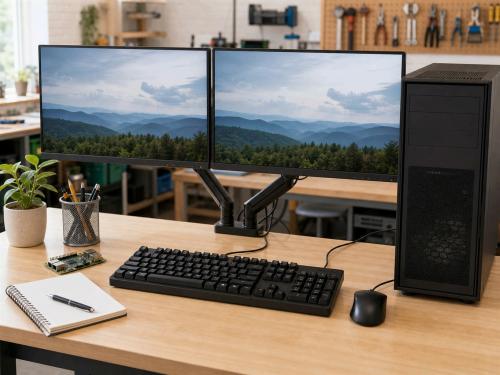 Digital work can involve websites, domains, hosting, software, accounts, backups, data, networks, programming, CAD and the digital control of technical projects. These questions often involve several connected services, people and dependencies.
The aim is not only to remove an immediate error. It is also to understand where information is stored, who has access and how the system can remain manageable. Select an operator or location to see its local scope.
A digital problem can appear as a lost password, broken website, missing file or computer that no longer behaves as expected. Before changing settings or moving data, it helps to map the system: which accounts exist, who owns them, where data is stored, how services are paid for and whether a backup can really be restored.
Domains, hosting, content-management systems, structure, accessibility, maintenance and the ability to move or preserve published information.
Email addresses, profiles, administrator accounts and recovery methods determine who can act and whether control depends on one person.
Locate data, design a backup route and understand retention and restoration rather than treating the existence of a copy as sufficient.
The digital capability is not limited to support or fault resolution. It can include programming, data processing, designing a website or tool, documenting a system, making a workflow understandable, or using CAD and software to control a physical project.
Self-reliance does not mean everyone must become a system administrator or programmer. It means having enough understanding, documentation and control to make informed choices and recover from ordinary failures.
Free and open-source software can provide maintainable alternatives where it fits the actual need. The goal is not to replace one dependency with another by default, but to consider ownership, portability, privacy and long-term support.
An Arduino or sensor project may overlap with Electronics; a measured object may become a CAD model for 3D printing; and experimental data may connect to Science and experiments.
Digital work at Spaarndamseweg is usually connected to a specific computer, electronic device or 3D-printing project. The appointment-based setting provides a predictable workstation where software, files and hardware can be examined together and left organised during testing.
Examples include preparing and correcting 3D-print files, programming a small control or sensor project, testing software around a repaired computer, documenting a technical setup and arranging the files or backups required to continue a project safely.
Bring the relevant device, source files, removable storage and a clear description of the intended result. When an account or online service is involved, state who owns or controls it. Passwords should not be sent through ordinary email.
For broader questions involving websites, domains, hosting, email, accounts, data ownership, networks or organisational systems, see Tugelastraat. That location is the main technical and digital workspace, while Spaarndamseweg is strongest when the digital question belongs directly to the physical project on the bench.
Tugelastraat is the main technical and digital workspace of ASK-Solutions. It is used for websites, domains, hosting, software, accounts, backups, data, computers, networks, programming, CAD and the digital control or documentation of physical projects.
Work can include content-management systems, hosting, domain names, email, profiles, administrator accounts and recovery routes. A central question is who owns and controls each part, and whether the system can be maintained or transferred without depending on one inaccessible person or supplier.
Computers, storage, applications and networks can be examined as one connected system. A backup is assessed by its contents, retention and ability to restore—not only by the presence of a file or green status message.
Programming, CAD, technical documentation and data processing can support electronics, 3D printing, repair and wider development projects. Free and open-source software and other maintainable alternatives are considered where they fit the actual need.
Bring the relevant device, files and documentation and describe the result you want rather than only the current error. State which person or organisation owns the services and accounts involved. Passwords should not be sent through ordinary email.
When the digital question belongs directly to a computer repair, electronic device or 3D print that needs repeated testing in a quiet setting, Spaarndamseweg may be the more practical location. Its local digital body focuses on that project-linked use.
The workshops below involve digital. Which other capabilities are included varies by workshop.
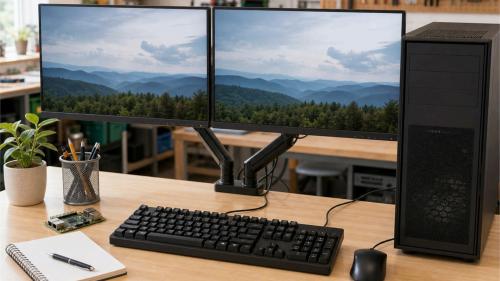 Digital self-reliance helps people become more independent with computers, internet, accounts, files, settings and common digital questions.
Requests make specific needs visible, campaigns bring contributions together around a broader or longer-running need, and updates show what is changing. Below you can see the most recent publications in which digital plays a role.
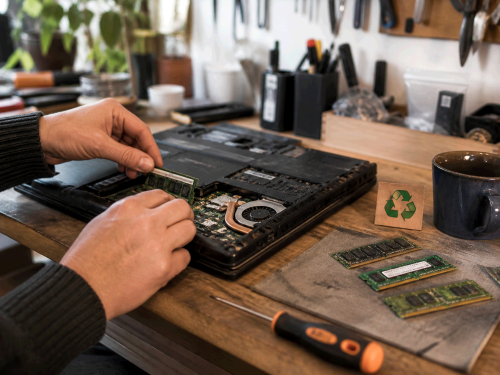
A request for RAM, laptops, desktop PCs and accessories to repair usable hardware, put it back to work and, where possible, pass it on.
Below are projects in which digital plays a role. Projects are built up and developed over time; how this capability is used or combined with other capabilities varies from project to project.
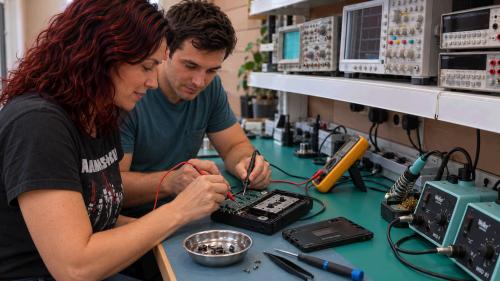
The repair project at The Owl’s Nest – Tugelastraat focuses on computers, software, websites, electronics, electrical equipment and fine mechanical and electromechanical repair.
Describe the desired result, not only the current error. Identify the devices, services, domains and accounts involved; who controls or pays for them; what backups exist; and which error messages or steps reproduce the problem.
Do not send passwords through ordinary email. Access should be arranged in a controlled way only when it is actually needed.
For practical learning through software, data or digital design, see Learning through practice.
Copyright © 2026, ASK-Solutions · The Owl’s Nest is an initiative of ASK-Solutions


 Privacy Policy